Sandustry Controls Hub
Every key binding for building, digging, and managing your pixel factory on PC.
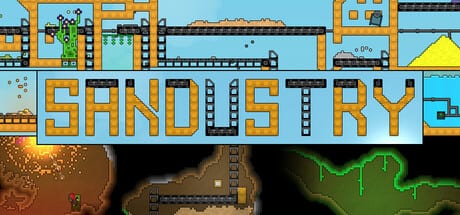
Sandustry plays like a sandbox builder glued to falling-sand physics. You spend as much time placing Shakers, Conveyors, and Pipes as you do mining Sandsoil. Controls are PC-first on Windows 10 and 11; Early Access arrives 2026-08-13 on Steam, GOG, Microsoft Store, and PC Game Pass with the same keyboard layout as the free Steam demo. This hub centralizes bindings so you can build faster and avoid accidental demolitions.
Pages in this hub
Keyboard Shortcuts
The full reference table: S to descend, R to toggle linear vs rectangular build, X to remove, Shift for marquee selection and launcher-outlet skip, C then Ctrl+C / Ctrl+V to copy, rebindable zoom on the two keys left of Backspace (Update 0.5.4), Space and Escape for menus. Essential reading before your first diagonal shaker row in How to Play. Large X wipes skip red-block scans — details on Demolisher.
Build Modes
Deep dive on linear vs rectangular placement, when to use each for conveyors and platforms, and how build mode interacts with Filters and Launchers. Links to Buildings footprints so you do not over-fill tiles.
Movement and Hover
Early Access rewrote movement: faster travel, auto pixel traverse, hover that phases through buildings, leftover 1px debris that can stick you, plus the F picker and U upgrade panel.
Controls and factory design
Good bindings only matter if your layout respects physics. Diagonal Shakers separate Gold from Slag; Shift-skip on launchers prevents double-feeding one outlet when chaining arrays. Marquee select helps relocate whole subsystems when you outgrow a floor — common after unlocking Logistics 1. Pair control fluency with Water Management so you are not fighting pipes while trying to remember remove key.
Platform and input notes
Official minimum specs on Steam list Windows 10 64-bit, keyboard and mouse, DirectX 11. Recommended specs mention DirectX 12; controls do not change. Game Pass and GOG builds use the same PC bindings. Mods loaded through Fluxloader should not remap vanilla keys unless a mod readme says otherwise.
Related wiki sections
- Guides — Loop tutorials that assume you know descend and build toggles.
- Tools — Production planning after controls feel natural.
- Mods — Custom maps may introduce new hazards; controls stay vanilla.
- Review — Demo impressions including learnability of build tools.
Quick reference card
Keep these visible on a second monitor or phone while playing:
| Key | Action |
|---|---|
| S | Descend |
| R | Toggle build mode (linear / rectangular) |
| X | Remove (small boxes for red tiles after 0.5.4) |
| Shift + drag | Marquee select |
| Shift (launcher) | Skip outlet |
| C / Ctrl+C / Ctrl+V | Copy structure |
| Zoom | Two keys left of Backspace (rebindable; no zoom-out past default yet) |
| Space / Esc | Menus |
For narrative context on when to use each tool in the loop, start Getting Started after skimming shortcuts.
Frequently Asked Questions
Quick answers to the most common Sandustry questions.
How do I descend in Sandustry?
Press **S** to move downward in the world. Descending is core to reaching **Sandsoil** and deeper biomes — see Dig Deeper for layout tips once you go down.
How do I toggle build mode?
Press **R** to switch between **linear** and **rectangular** placement. Details and use cases on Build Modes.
How do I delete buildings?
Press **X** while targeting blocks or buildings. Use **Shift + drag** to marquee-select larger areas first. Full list on Keyboard Shortcuts.
What does Shift do on Launchers?
**Shift** while placing launchers skips the outlet tile so you can chain launchers without overlapping feeds. Covered in Build Modes and Automation Basics.
Are controls the same in the demo and Early Access?
Yes on PC. Platform availability is listed on Release Date and Platforms; bindings have stayed consistent in public demos.
What changed about movement in Early Access?
Travel is faster, hover can phase through buildings, and leftover 1px debris can pin you. Details on Movement and Hover.