Sandustry Keyboard Shortcuts
Complete PC key reference for building, digging, and menu navigation.
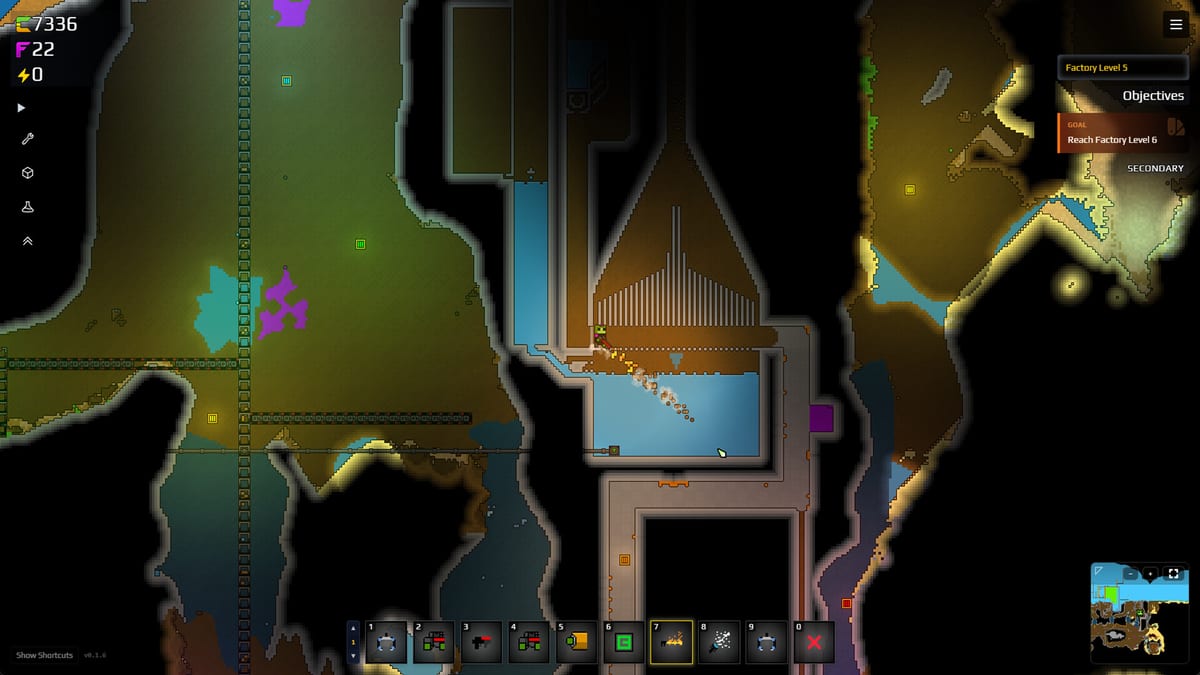
Sandustry factory design lives or dies on placement speed. The game ships on Windows 10/11 with keyboard-first controls in both the free Steam demo and Early Access (2026-08-13 on Steam, GOG, Microsoft Store, PC Game Pass). This page lists every binding players reference most often, with context for why each key matters in the refinery loop described in How to Play.
Movement and camera
S — Descend
Primary downward movement in the world. Sandustry pushes you into Sandsoil layers below the surface; S is how you reach ore and expand mines. Pair with Dig Deeper layouts so descending does not strand inventory. Unlike some platformers, descend is a dedicated key — memorize it before long mining sessions.
Building and removal
R — Toggle build mode (linear / rectangular)
Switches placement shape between linear strips and rectangular fills. Linear mode excels for conveyor spines, pipe runs, and single-file shaker support. Rectangular mode floors platforms quickly when you need wide staging areas for Wet Sand. Full strategy on Build Modes.
X — Remove
Deletes buildings and targeted blocks via the Demolisher. Essential when diagonal shakers were placed flat by mistake or when retrofitting Logistics 1 belts through an old floor. After Update 0.5.4, red “indestructible” tiles only scan when the delete is 256 tiles or fewer — shrink huge marquees. Combine with marquee (below) for bulk cleanup of your blocks, not world terrain.
C then Ctrl+C / Ctrl+V — Copy
Official beginner tip: press C to select a structure, Ctrl+C to copy, Ctrl+V to paste. Faster than redrawing a shaker bank you just demolished. Does not copy world pixels.
Shift + drag — Marquee selection
Box-select multiple tiles or structures for batch move/remove operations. Critical when upgrading a refinery wing without clicking hundreds of tiles. Select, then remove or rebuild. Saves time before Automation Basics expansions.
Shift (while placing Launchers) — Skip outlet
Skips the launcher outlet tile during placement so chained launchers do not double-feed one output. Mandatory for vertical slag or sand lifts. Documented in depth on Build Modes with launcher spacing diagrams in Buildings.
Ctrl — Replace / override buildings (Hotfix 8)
Hold Ctrl while placing to replace or override existing buildings in place instead of blocking placement. Essential when retrofitting conveyor spines, funnel tiles around the Flux Emanator, or swapping filter tiers without X removing entire rows first. Added in Hotfix 8 (2025-02-21) — see Demo Patches and Build Modes.
Hotbar and inventory UI (Hotfix 8)
Lock Hotbar
Lock Hotbar in the Building/Inventory UI prevents accidental hotbar slot swaps while wiring logistics or farming Flowers. Enable it before long build sessions where you alternate Grabber, tools, and structure tiles.
AZERTY physical hotbar keys
Hotfix 8 maps hotbar slots to physical key positions on AZERTY keyboards — the key under your finger stays the same slot even when labels differ from QWERTY footage. QWERTY players are unaffected; AZERTY players should re-read slot muscle memory after updating the demo.
Menus and pause
Zoom In / Zoom Out (Update 0.5.4)
Rebindable camera zoom. Defaults sit on the two keys left of Backspace (symbols vary by layout). Zooming out past the default view is not supported yet (renderer limits). Zooming in pixelates for now. Do not expect a Factorio-style pull-back until a later engine pass — Update 0.5.4.
Space — Menu access
Opens in-game menus (inventory, research, settings depending on context). Use between build phases to spend Gold on Research Priority nodes.
Escape — Menu / back
Closes overlays or opens system menu. Same practical role as Space for pausing frantic rebuilds — exact behavior may depend on active UI layer.
Quick reference table
| Key | Action |
|---|---|
| S | Descend / move down |
| R | Toggle linear vs rectangular build |
| X | Remove building or block (256-tile cap for red after 0.5.4) |
| C / Ctrl+C / Ctrl+V | Select, copy, paste a structure |
| Shift + drag | Marquee select area |
| Shift (launcher placement) | Skip launcher outlet tile |
| Ctrl (while placing) | Replace / override existing building |
| Zoom | Two keys left of Backspace — no zoom-out past default yet |
| Lock Hotbar | UI toggle — freeze hotbar slots while building |
| Space | Open menus |
| Escape | Menu / cancel / pause layer |
Shortcuts in the factory loop
Mining phase — S to reach sand, minimal build keys until you surface haul.
Refinery phase — R for platforms and belts, X to fix misaligned Shakers, Shift on launchers when elevating Slag.
Research phase — Space to open tech tree after gold accumulates; cross-check Research Checklist.
Exploration phase — S + tools (Tools Priority) for depth; X to clear blockers.
PC requirements context
Steam lists minimum input as keyboard/mouse on Windows 10 64-bit. Recommended specs mention DirectX 12; no alternate control scheme is documented for EA. Game Pass and GOG builds match Steam bindings. Report rebinding only if official patch notes announce it on Demo Patches — Hotfix 8 added Ctrl replace, Lock Hotbar, and AZERTY physical hotbar mapping.
Mod compatibility
Fluxloader mods rarely remap vanilla keys. Custom maps (Custom Maps) use the same shortcuts. If a mod adds UI overlays, Escape may close mod windows first — disable mods when testing control issues.
Learning path
- Read this table once.
- Place a diagonal shaker row using R and X corrections (Getting Started).
- Add launchers with Shift skip (Automation Basics).
- Descend with S when surface sand depletes.
Related pages
- Build Modes — Linear vs rectangular deep dive.
- Controls Hub — Overview and FAQ.
- Guides — Mechanics that assume these bindings.
- Materials — What you are moving with conveyors built via these keys.
Frequently Asked Questions
Quick answers to the most common Sandustry questions.
What key descends in Sandustry?
**S** moves you downward. Essential for mining **Sandsoil** and reaching deeper biomes.
How do I switch linear and rectangular build?
Press **R** to toggle. See Build Modes for when to use each.
How do I delete multiple buildings?
**Shift + drag** to marquee select, then **X** to remove. Faster than single-tile deletion.
Why does Shift skip launcher outlets?
So adjacent launchers do not share one output tile, preventing jams. Used in vertical transport designs.
How do I replace a building without removing it first?
Hold **Ctrl** while placing the new structure to override/replace in place (**Hotfix 8**). See Build Modes and Demo Patches.
Can I rebind keys?
Check in-game settings. **Update 0.5.4** added rebindable **Zoom In / Zoom Out** (two keys left of Backspace). This wiki documents default PC bindings plus that patch.
Do shortcuts work on Game Pass?
Yes on PC Game Pass — same Windows keyboard layout as Steam per Release Date and Platforms.